Software Update Tool
Finding available software
Downloading macOS Ventura 13.6.4
Downloading: 100.00%Attempting to quit apps: ("com.apple.Safari.SafariQuickLookPreview",
"com.apple.Safari")Waiting for user to quit any relevant apps
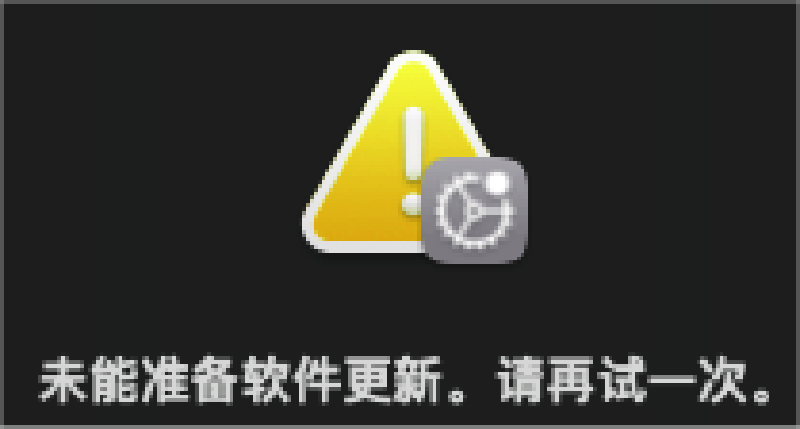
Failed to download & prepare update: Error Domain=SUOSUErrorDomain Code=201"未能准备软件更新。请再试一次。"UserInfo={NSLocalizedRecoverySuggestion=下载所选更新时发生错误。请检查你的互联网连接并再试一次。, NSLocalizedDescription=未能准备软件更新。请再试一次。, NSUnderlyingError=0x600002d780f0 {Error Domain=SUMacControllerError Code=7740"[SUMacControllerErrorPrepareFailed=7740] Failed to perform Prepare operation: [MobileSoftwareUpdateErrorDomain(MSU):MSU_ERR_FILESYSTEM_DOESNT_VERIFY(3)_1_MobileSoftwareUpdateBOMErrorDomain:1|FullReplacementRequired|]"UserInfo={SUMacControllerErrorIndicationsSummary=|FullReplacementRequired|,
SUMacControllerErrorIndicationsMask=2, NSUnderlyingError=0x600002d7ba80 {Error Domain=MobileSoftwareUpdateErrorDomain Code=3"'./usr/sbin/BlueTool' does not verify"UserInfo={target_update=22G513, NSUnderlyingError=0x600002d7ac40 {Error Domain=MobileSoftwareUpdateBOMErrorDomain Code=1"contents of '/usr/sbin/BlueTool' don't match bom (10ddf270 vs ff9bb905)"UserInfo=0x600002358020 (not displayed)}, MSUFullReplacementRecommened=true, NSLocalizedDescription='./usr/sbin/BlueTool' does not verify}}, NSLocalizedDescription=未能准备软件更新。请再试一次。, NSDebugDescription=[SUMacControllerErrorPrepareFailed=7740] Failed to perform Prepare operation: [MobileSoftwareUpdateErrorDomain(MSU):MSU_ERR_FILESYSTEM_DOESNT_VERIFY(3)_1_MobileSoftwareUpdateBOMErrorDomain:1|FullReplacementRequired|], SUMacControllerErrorIndicationsDescription=-> Full replacement is required [as opposed to incremental patch].}}}